User Management
Last updated: December 29, 2025
Overview
This article explains how to add a new user to the system. Only administrators with the correct permissions can complete this action.
Steps to Add a New User
Log in to the admin dashboard with your administrator account.
Navigate to Users.
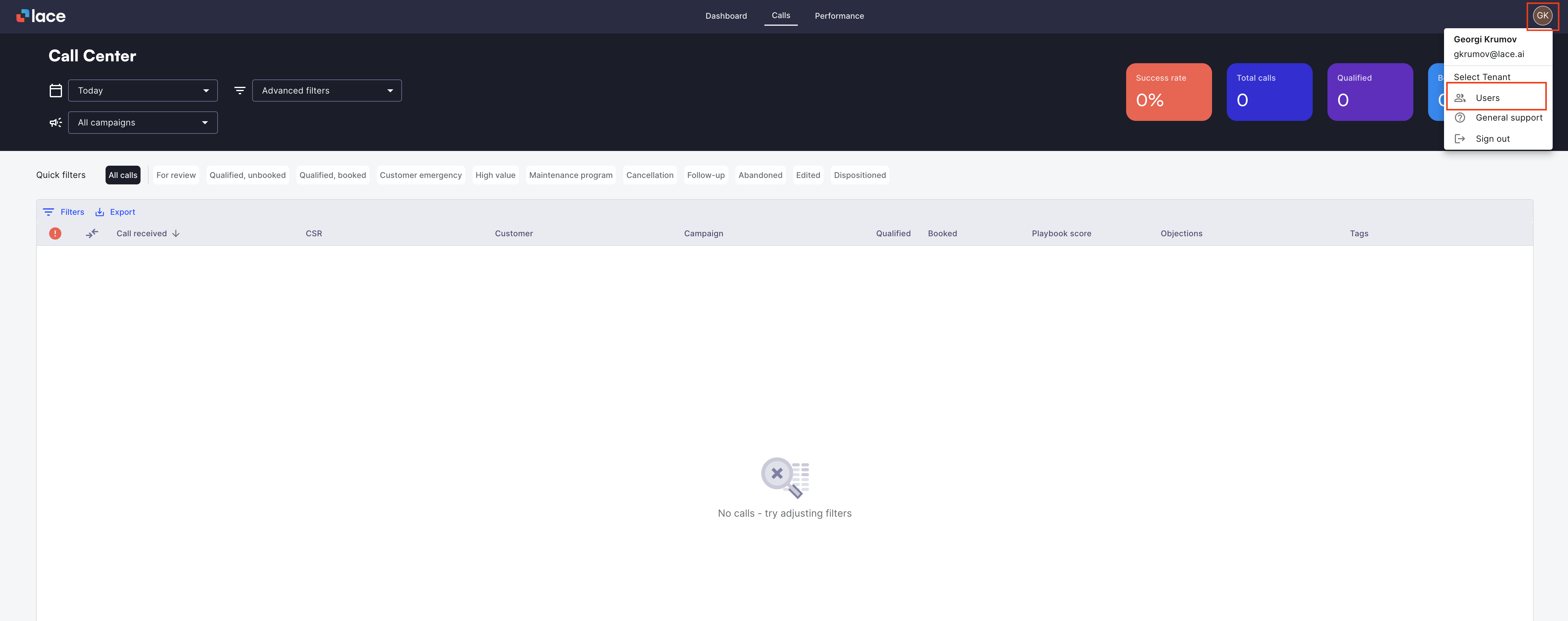
Click Add New User.
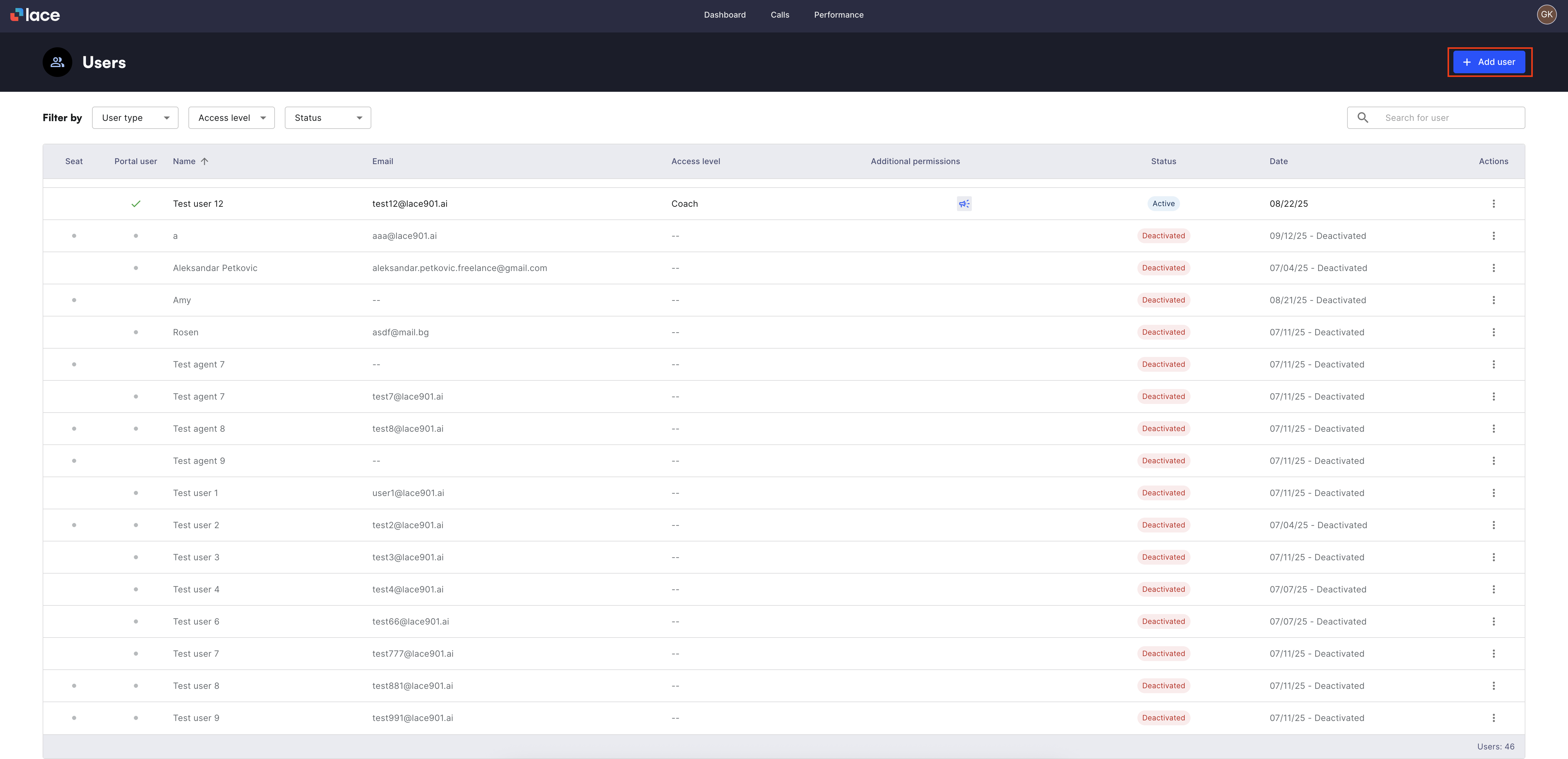
Choose the user type.
Seat (CSR whose calls are processed and analyzed by Lace AI).
Portal user (Access to the Lace portal to view call data and performance. There is no additional cost.).
Seat with portal access.
Enter basic info (name/email/role (if portal user)).
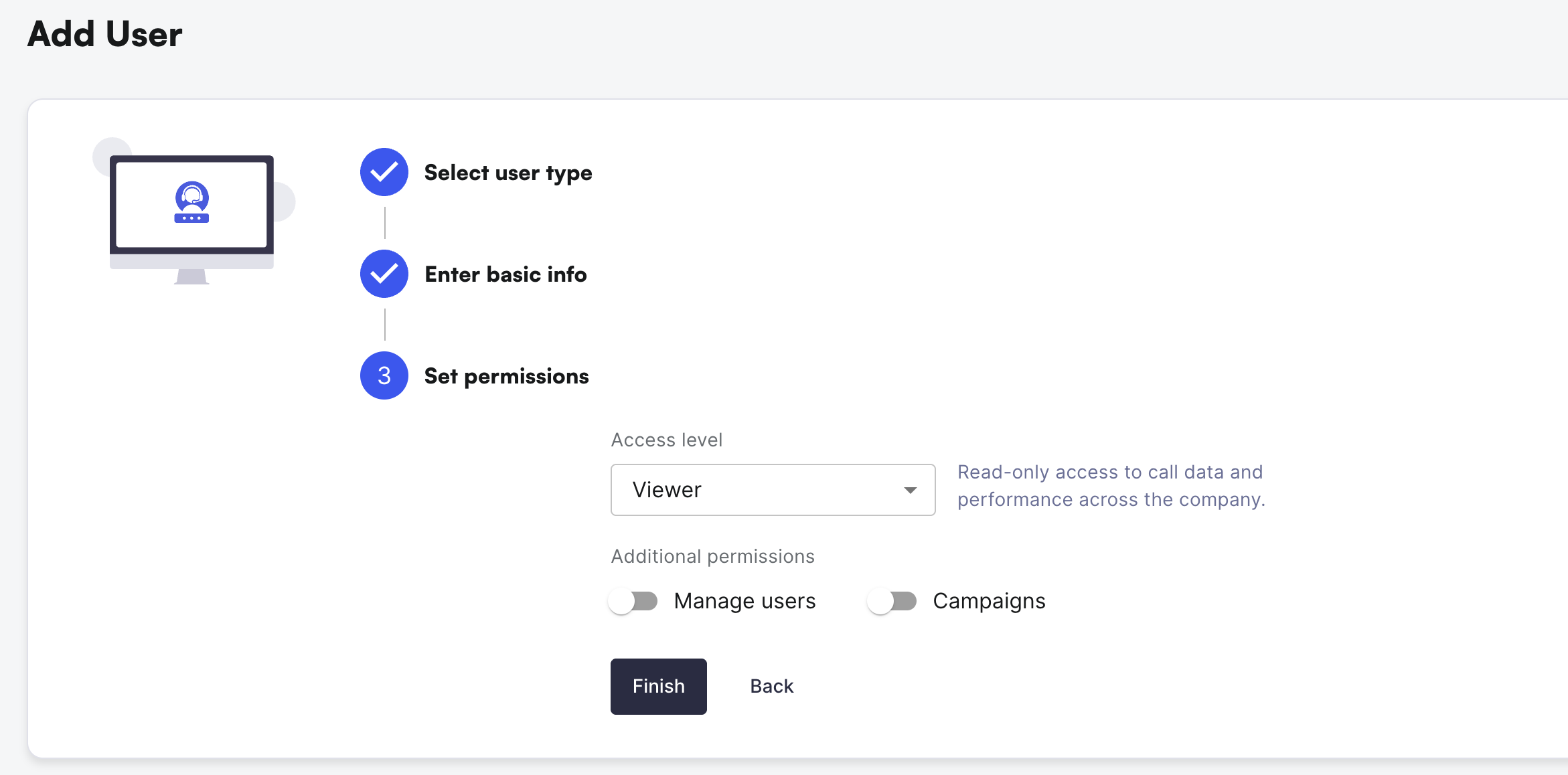
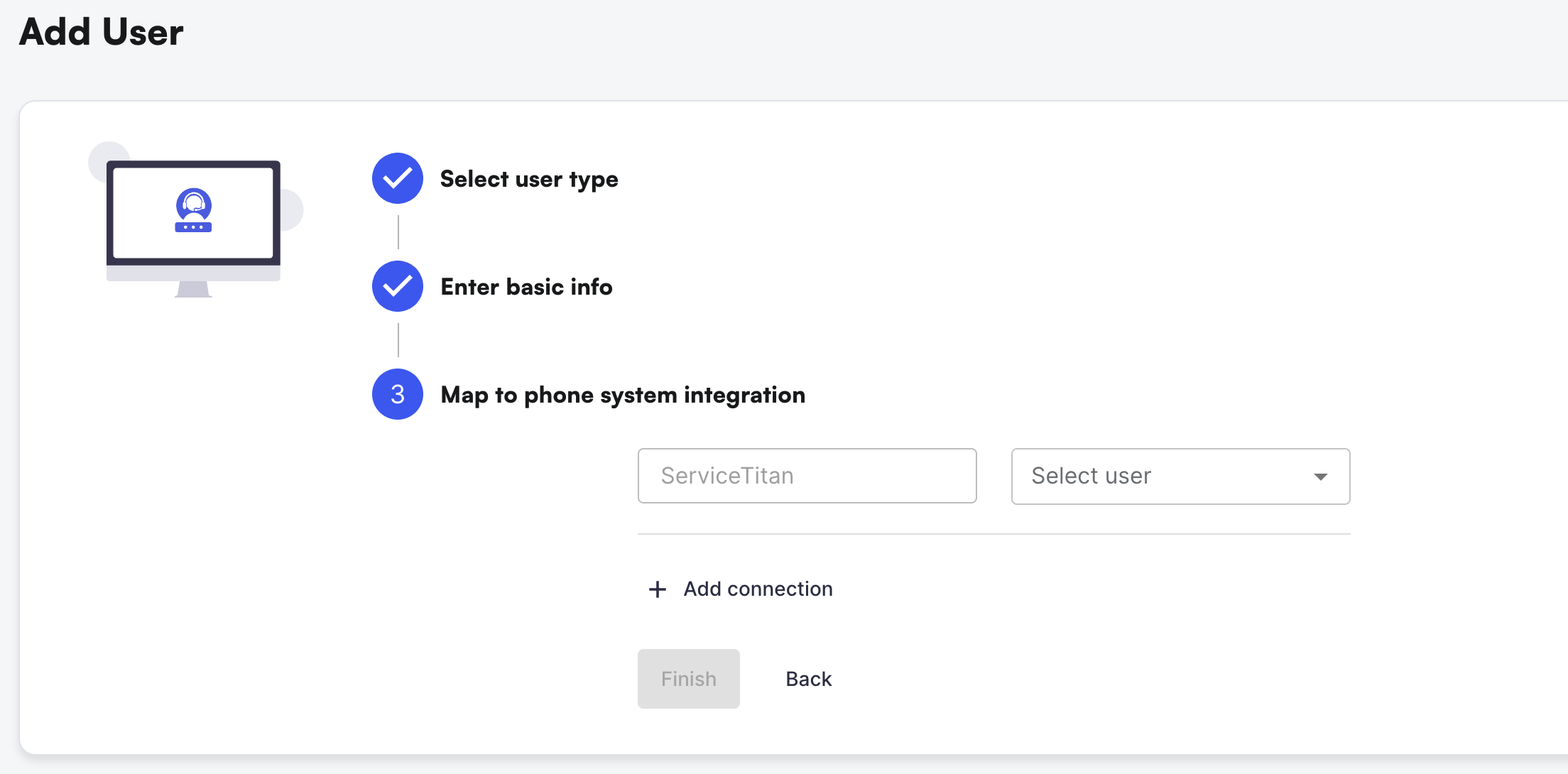
Depending on Portal or Seat user type - set the Portal permissions or Map to phone system settings.
Portal
Seat
Click Finish.
Video How-To: