Grant Portal access to existing Agent
Last updated: December 16, 2025
Overview
This article explains how administrators can grant Portal access to an existing Agent
Steps to Grant Portal access to an existing user
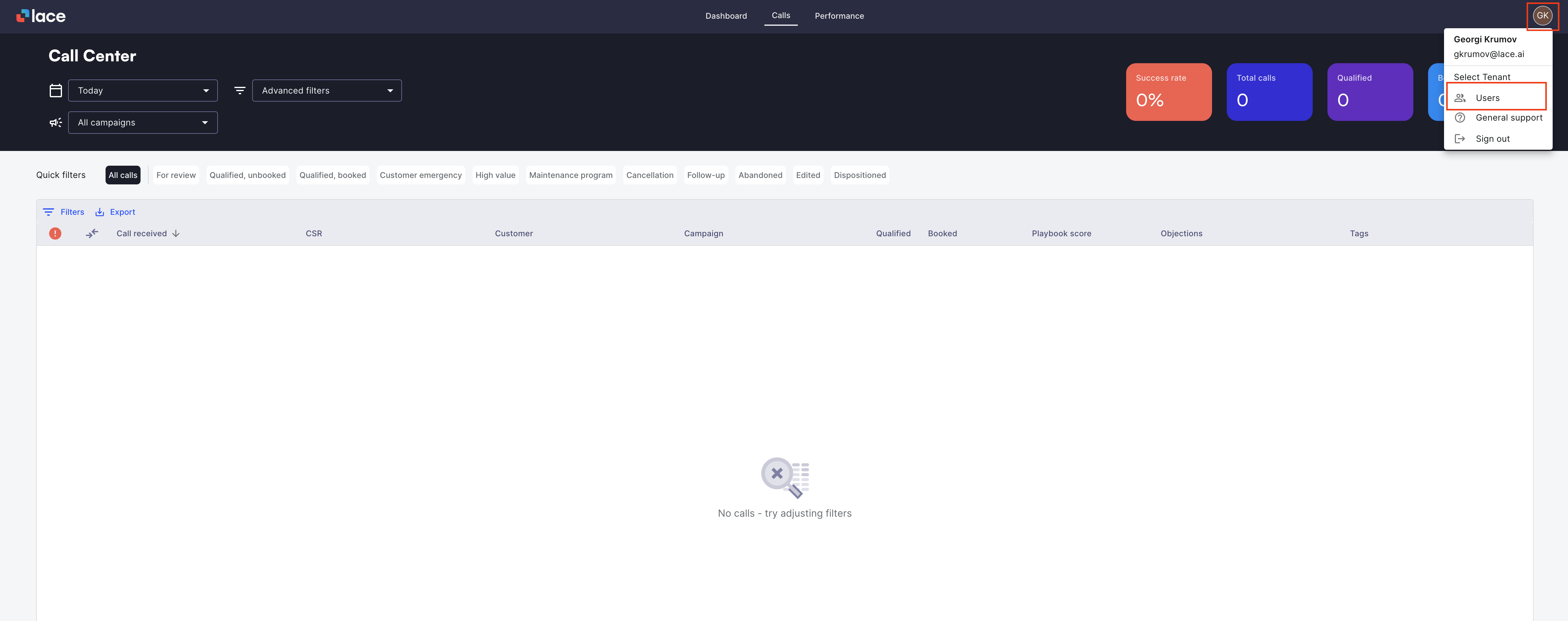
Log in to the admin dashboard with your administrator account.
Navigate to Users.
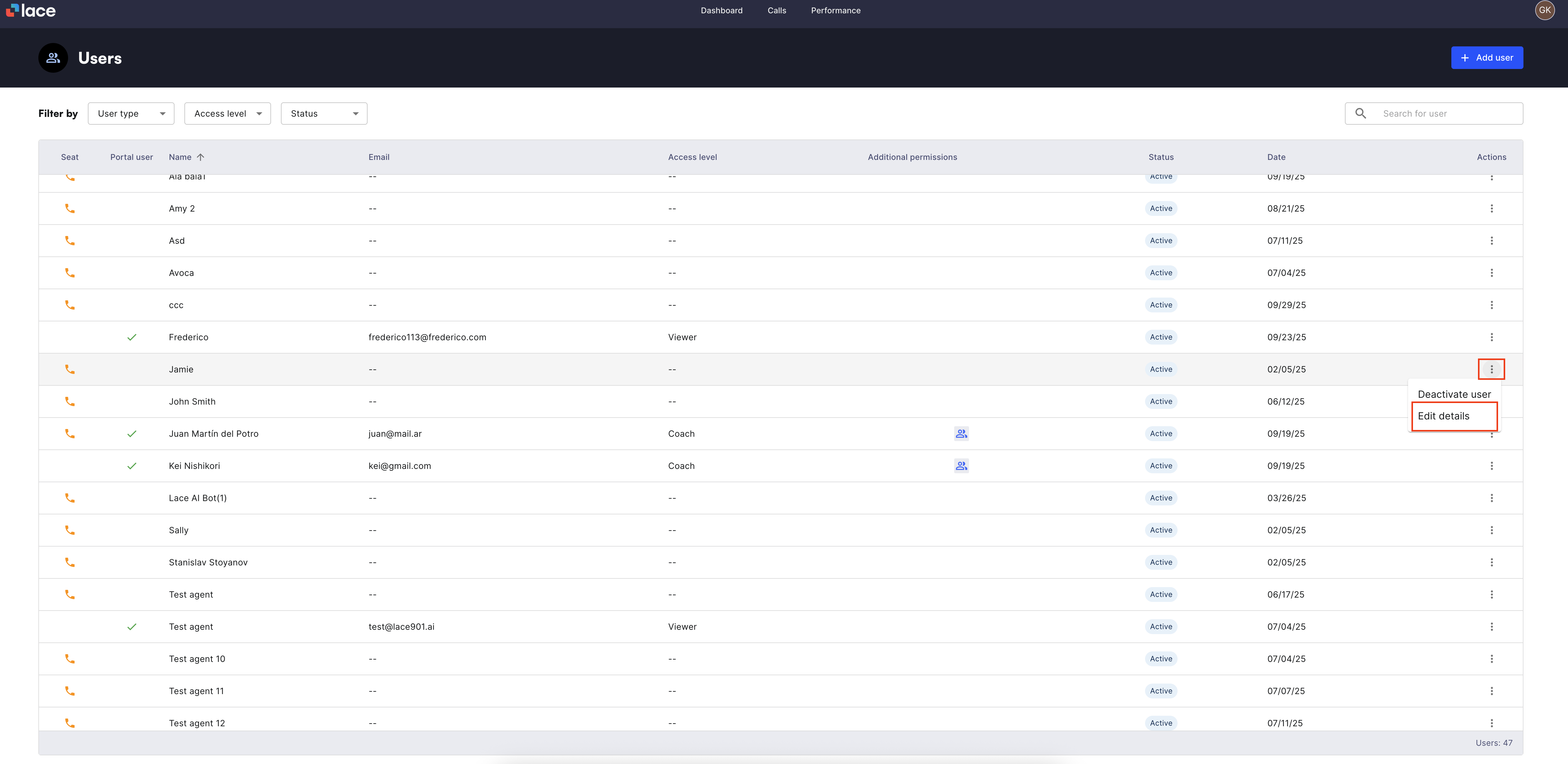
Locate the user you want to edit. You can:
Scroll through the user list, or
Use the Search bar to find them by name or email.
Click Edit details
Click Add portal access
Set the required permissions that you want to grant to this user
Click Save changes
Important: After granting portal access, no welcome email with invite links will be sent automatically. Users must go to the login page and perform a password reset to access their portal account.