Collecting Call Data for Your Lace Live Agents
Last updated: May 18, 2026
In order to ensure we can handle every call that comes our way, we ask for your call volume from the busy summer season.
Open up your ServiceTitan, and click on "Reports" found on the top banner of your ServiceTitan.

Click on "Create Report" found in the top right of your screen.

Create your Report:
In "Choose Report Type" select Calls
In "Select Report Template" select Calls
In "Select Columns" select the following values:
Call Date
Direction
Call Length
Call Time
Call Type
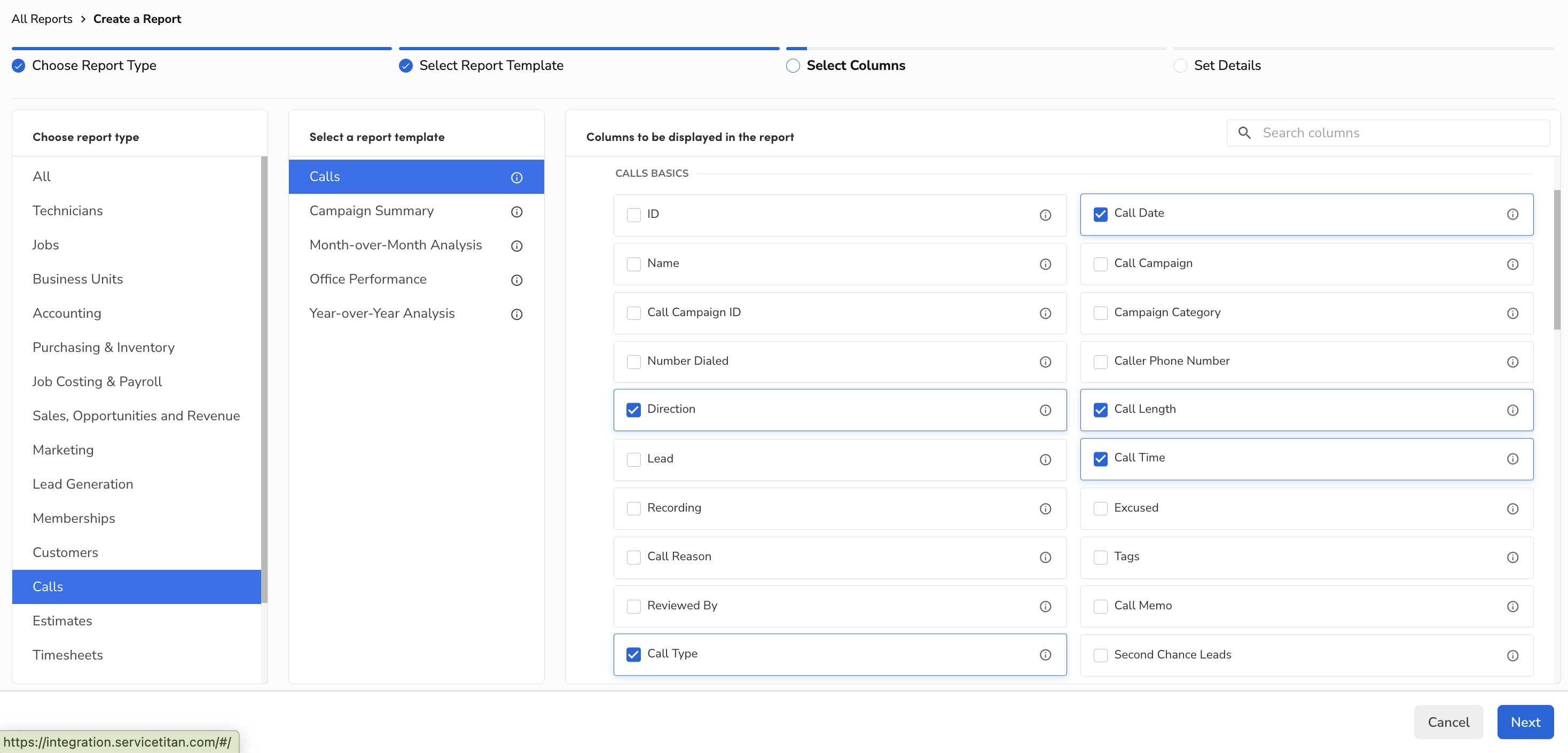
Select "Next" on the bottom right corner
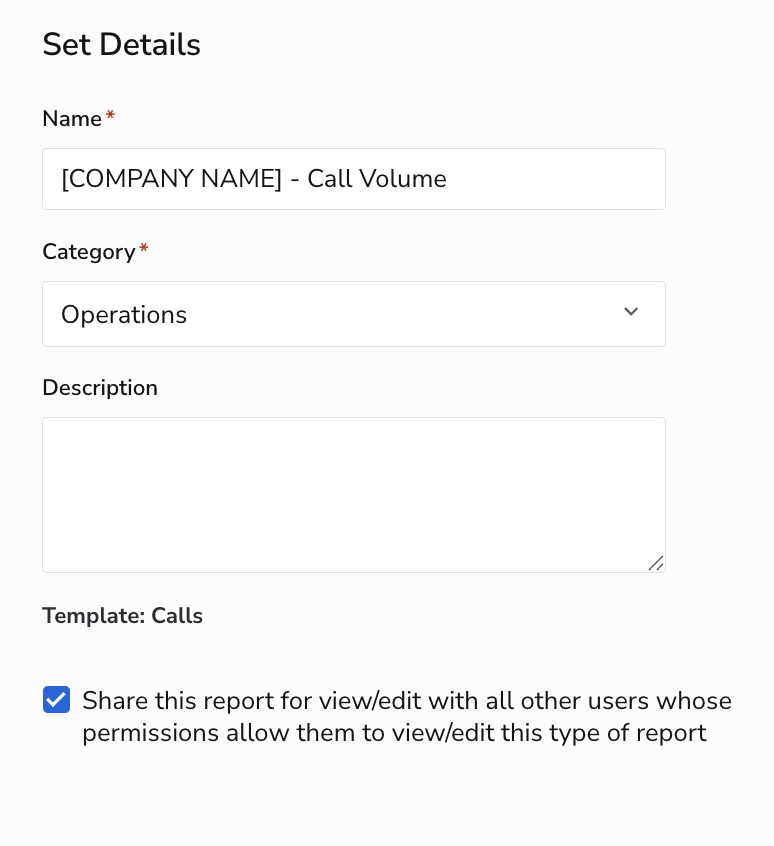
In "Set Details" please name your report your company name plus "- Call Volume" or something similar. Please choose "Operations" as your category. You do not need to add a description, and you can leave the box as checked.
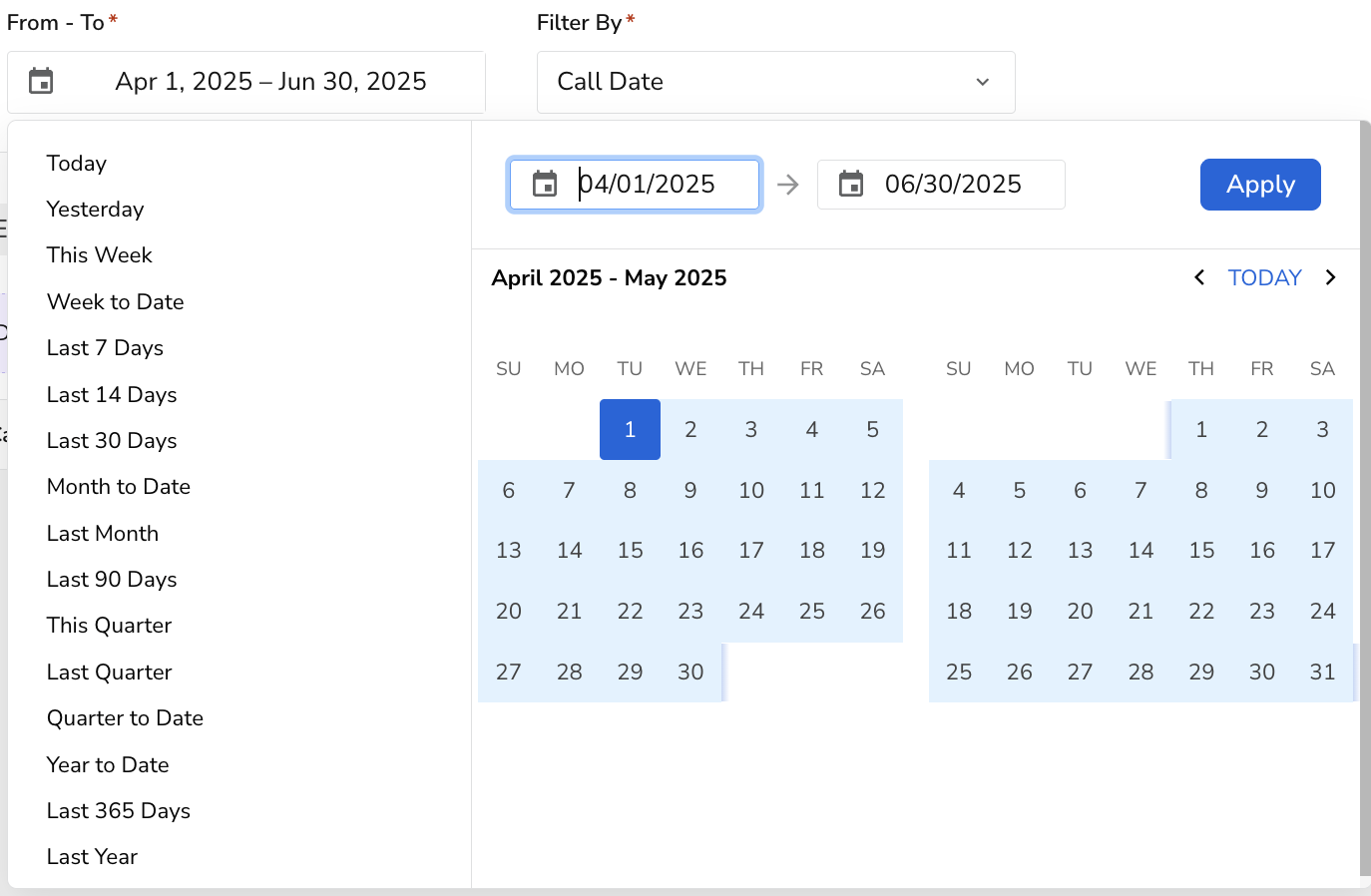
On the next page, you'll be able to select the date range for your report. Please choose April 1st to June 30th of last year. We use this data to understand what the staffing needs are for your company. Click Apply.
Click on Run Report found in the middle right of your screen.

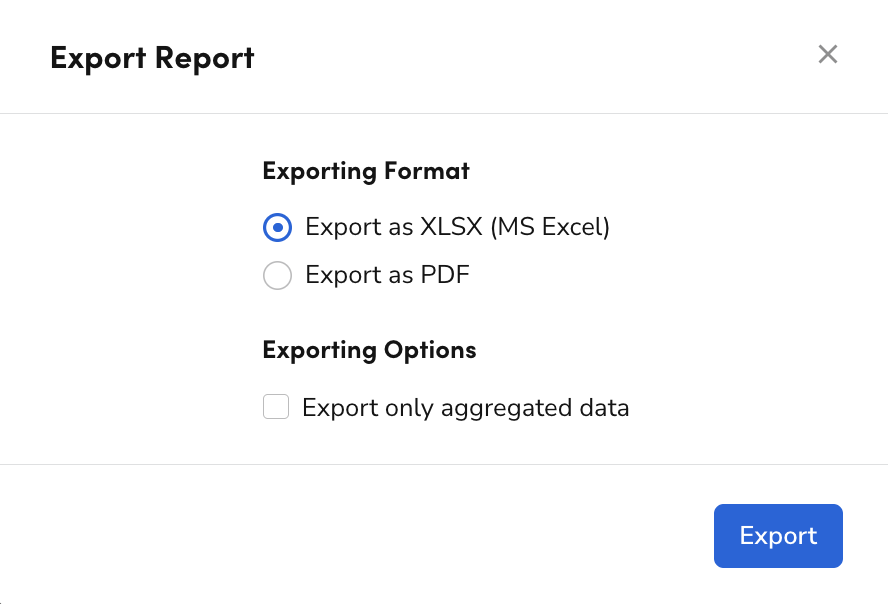
Click on Export.

Make sure the export is in XLSX format and click Export again.
You're done! Please send your exported data to your contact at Lace.