Understanding the Performance Tab
Last updated: March 16, 2026
Why use the Performance tab?
The Performance tab helps you understand how your team is performing over time and where improvements can be made.
This section includes two main views: Team and Playbook.
Team Performance
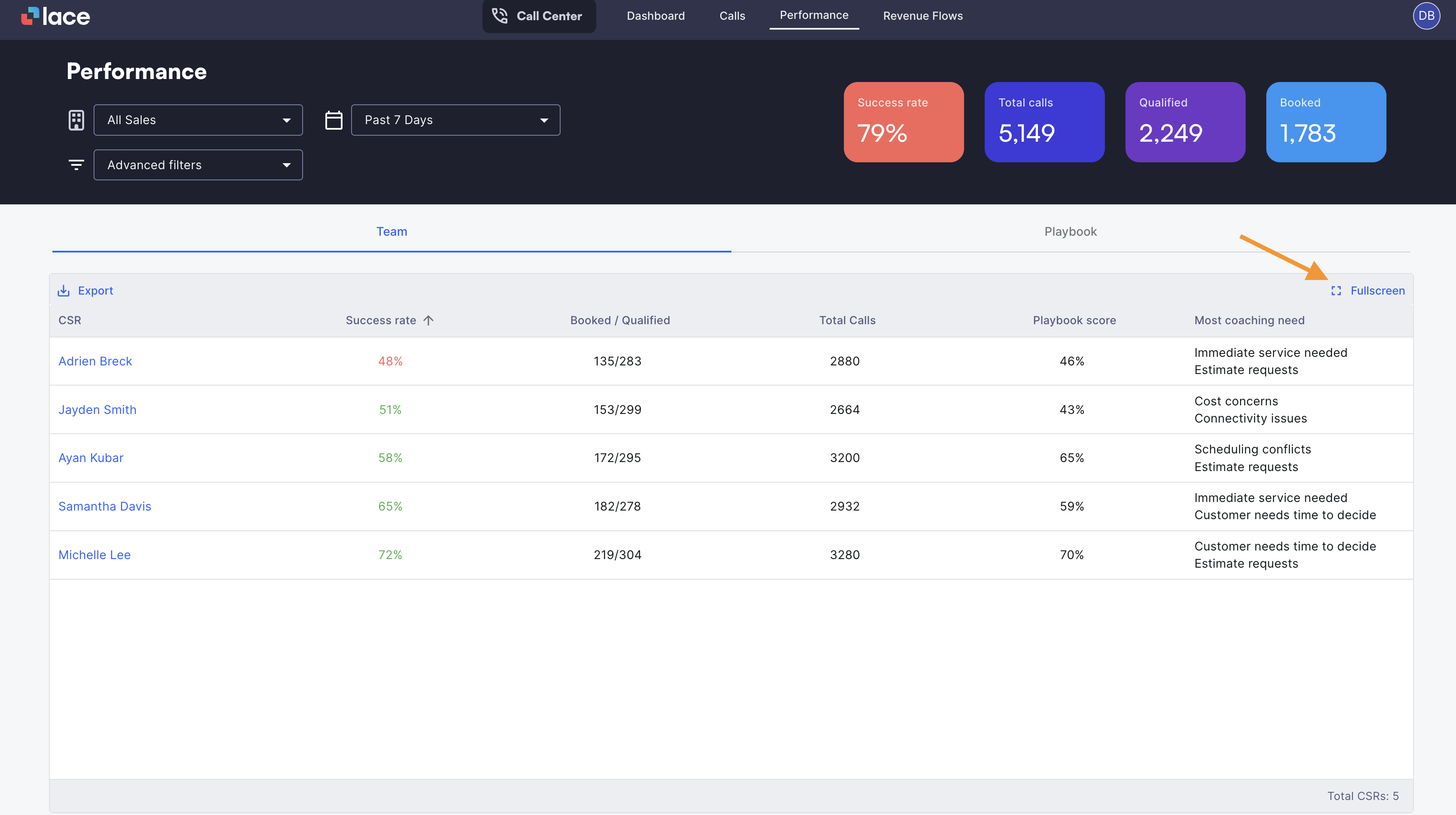
The Team view shows how each CSR is performing across key call center metrics.
Here you can see things like:
Success rate
Total calls handled
Booked vs. qualified calls
Playbook score
Coaching opportunities
This view helps managers quickly understand which team members are performing well and which may benefit from additional coaching.
You can also click into an individual CSR to explore their performance in more detail. This allows leaders to review trends for a specific team member and better understand how their calls are contributing to overall results.
Full-Screen: CSR Scorecard & Performance View
The Team performance view also includes a full-screen mode.
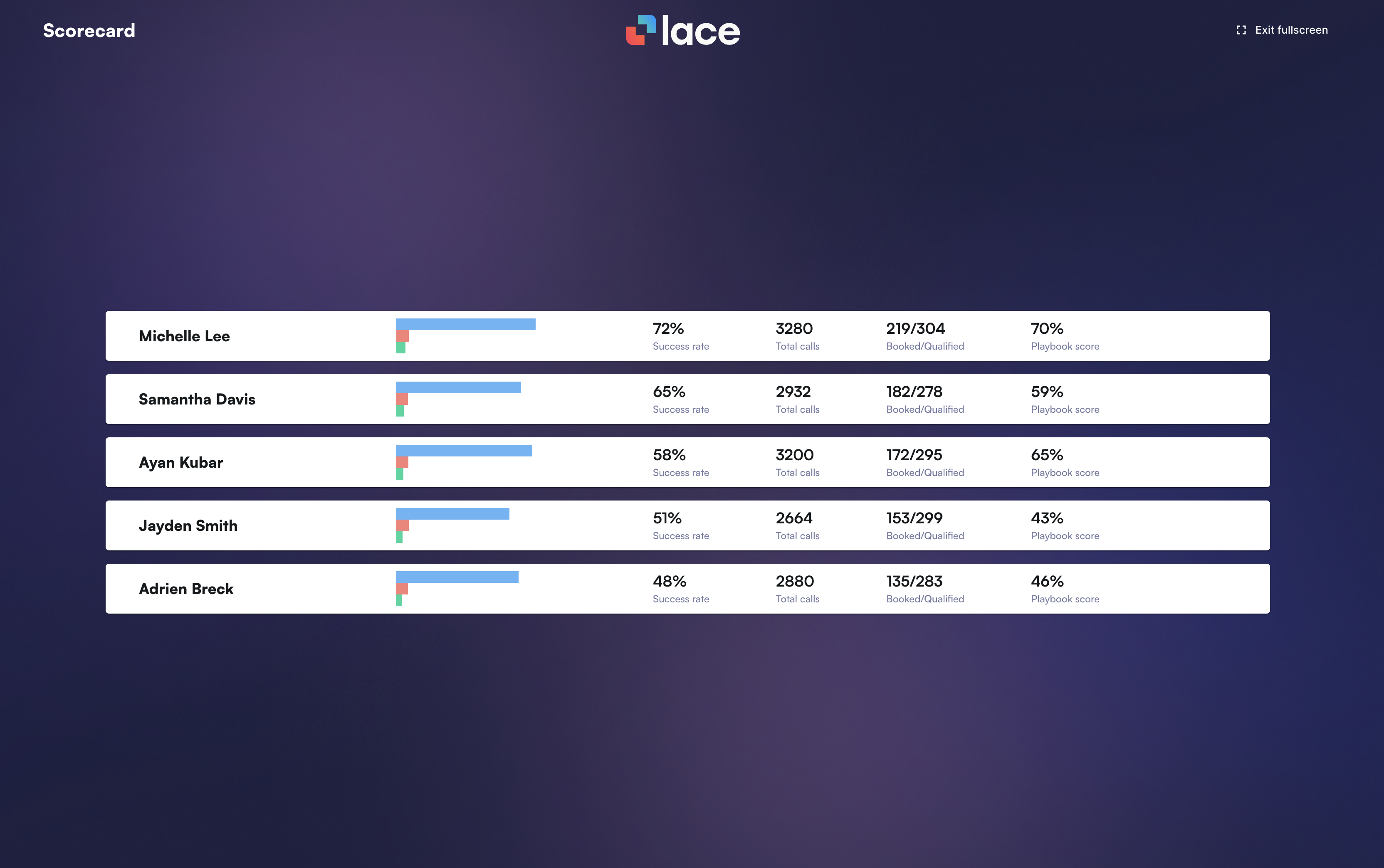
Many call centers project this view on monitors across the floor so teams can see performance in real time.
This helps:
Encourage healthy competition
Celebrate strong performance
Keep the team focused on key metrics
By making performance visible, teams often become more engaged in improving their results.
Playbook Performance
The Playbook tab helps teams understand how well calls are following the company’s sales or service playbook.
Instead of focusing on individual agents, this view looks at team-level patterns.
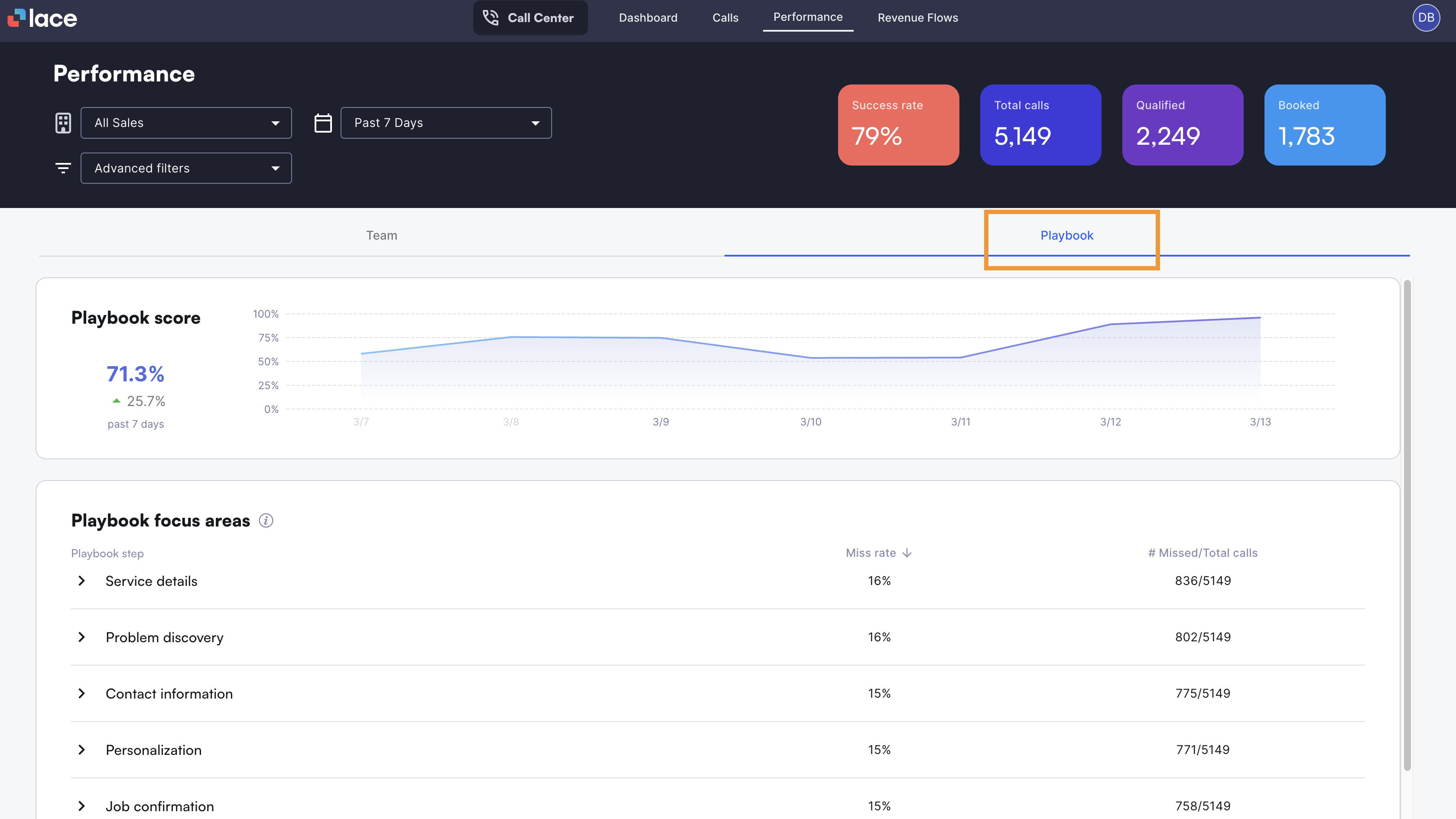
Here you can see:
Which playbook steps are being missed most often
The miss rate for each step
Which team members may need additional coaching on specific parts of the call
This helps leaders identify systematic coaching opportunities rather than focusing only on individual calls.