Invite the Lace AI CSR to ServiceTitan
Last updated: December 5, 2025
1. Go to Employees
Settings (⚙) → People → Employees → Add Employee
2. Fill Out Required Info
Employee Name: You choose (examples: Lace AI, Lacey, AI CSR)
Role: Select one of
Dispatcher
CSR/Dispatcher
Any of these work — choose the one that best fits how your team categorizes booking staff.
This gives the AI the correct permissions to:
create jobs
view customer details
check availability
book appointments
Email (must be exact):
aicsr-eng-st@lace.aiPhone Number: Leave blank
MFA: Do NOT enable (no phone, no MFA)
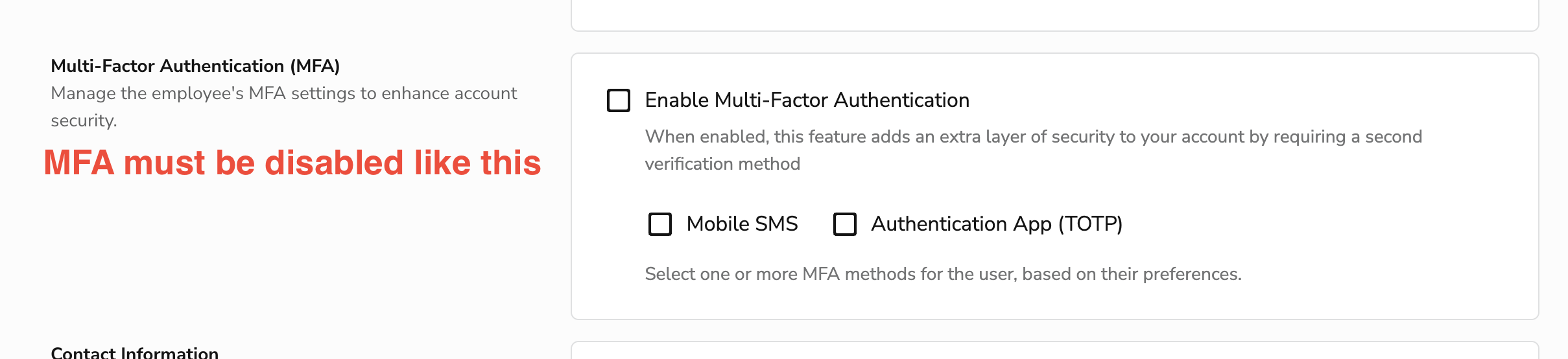
4. Invitation Method — IMPORTANT
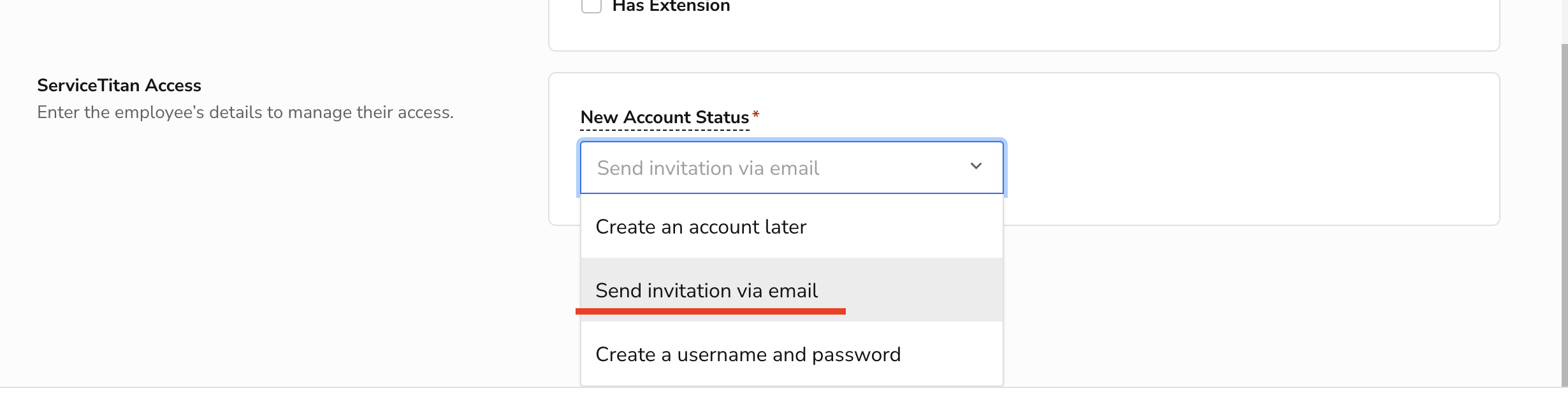
Under New Account Status, select:
✅ Send invitation via email
(do not choose any other option)
This sends the login setup link to Lace.
5. Save
Click Save, and you're done.