How to find your ServiceTitan tenant ID
Last updated: July 15, 2025
Login to your ServiceTitan account and do the following:
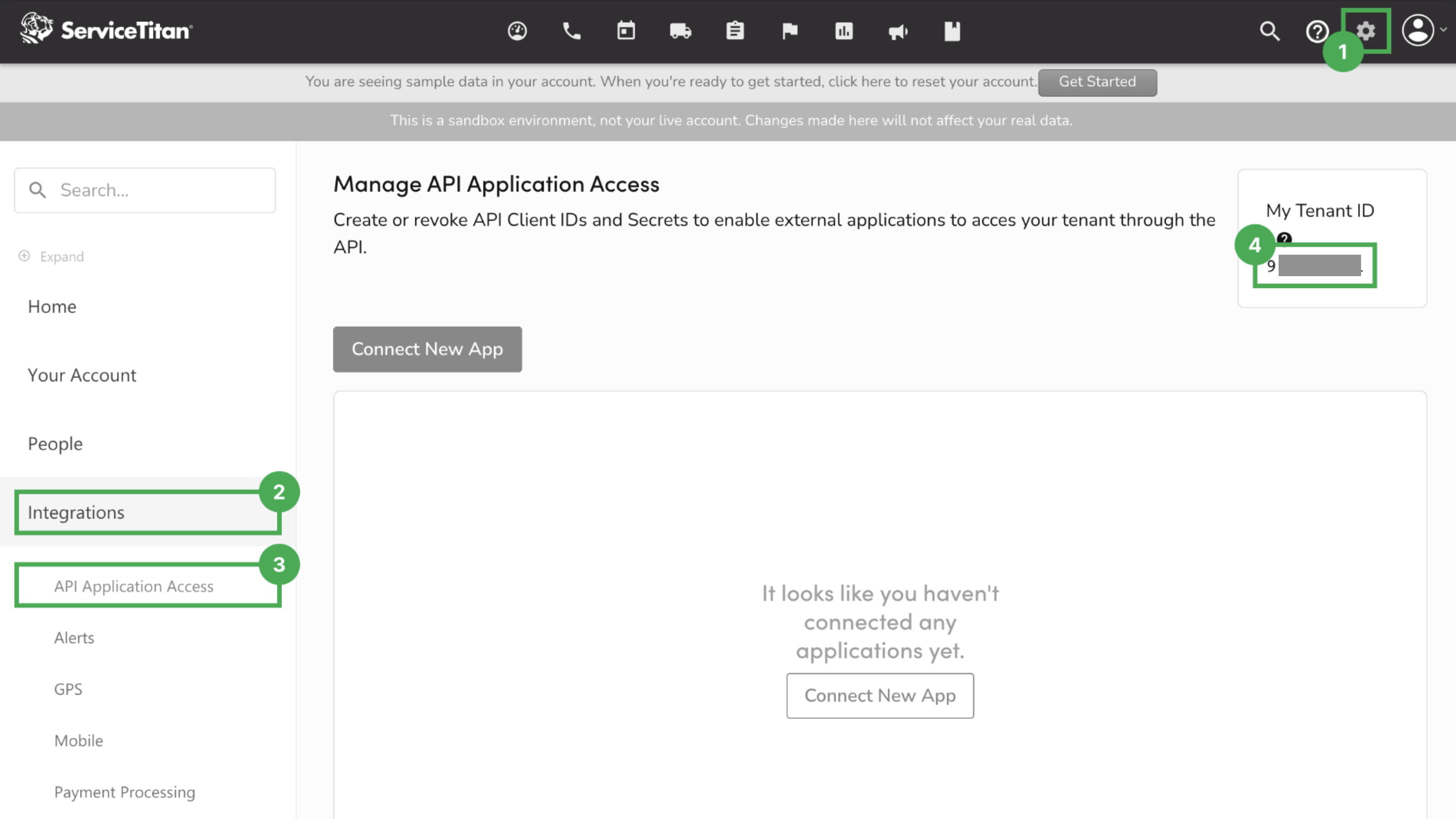
Press the gear icon in the top-right corner.
Press "Integration" in the sidebar.
Press "API Application Access". If you don't see this option, ask your company account admin to give you access.
Find your "Tenant ID" in the top-right corner